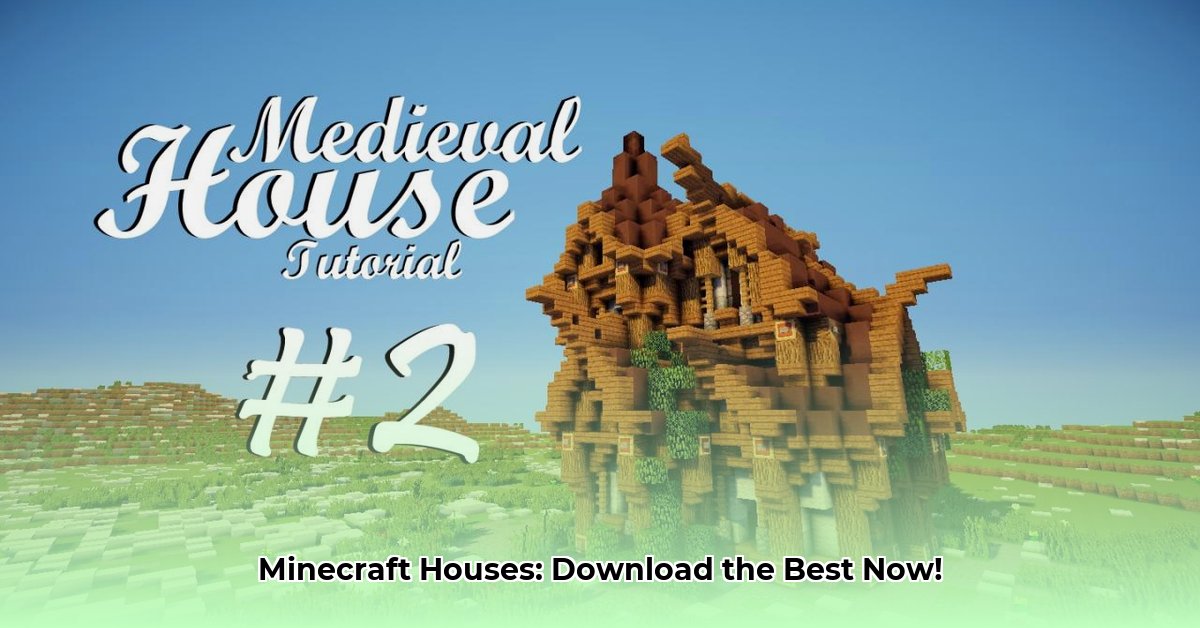
Ready to transform your Minecraft world with stunning pre-built houses? Downloading schematics (digital blueprints) offers a fantastic shortcut to building incredible homes, saving you countless hours of work. This guide provides a comprehensive walkthrough, from finding the perfect design to optimizing it for peak performance. Whether you're a seasoned builder or just starting out, we'll equip you with the knowledge and skills to create the Minecraft home of your dreams.
Exploring Minecraft's Diverse Architectural Styles
Minecraft's beauty lies in its boundless creativity. From whimsical fantasy castles to sleek modern mansions, the variety of house designs is staggering. Before downloading, consider the overall style you're aiming for. Different styles offer unique advantages and challenges:
- Medieval: Evokes a sense of history and grandeur with intricate stonework and towering structures. (Think towering stone walls, crenellations, and maybe even a drawbridge!)
- Modern: Clean lines, glass panels, and minimalist designs create a sophisticated and contemporary aesthetic. (Perfect for showcasing your sleek architectural skills!)
- Rustic: Cozy cabins and charming farmhouses built from wood and stone offer a warm, inviting feel. (Think cozy fireplaces and rustic charm!)
- Fantasy: Unleash your imagination with towering spires, magical elements, and otherworldly materials. (Ideal for unleashing your creativity and building something truly unique!)
Visual inspiration is key. Explore online galleries and videos to find designs that resonate with your vision. Don't be afraid to mix and match elements from different styles! Do you prefer a cozy cottage or a sprawling palace? This choice influences your schematic search.
Where to Find Reliable Minecraft House Downloads
Numerous websites offer Minecraft house downloads. However, not all are created equal. Carefully evaluate your source to ensure both design quality and security. Here's a comparison of two popular platforms:
| Website | Pros | Cons |
|---|---|---|
| PlanetMinecraft | Massive selection; active community; user reviews and ratings; easy navigation. | Overwhelming variety; quality can vary; occasional outdated designs. |
| mcbuild.org | Often higher-quality schematics; well-organized categories; detailed descriptions. | Smaller selection; may require more technical understanding. |
Remember, securing your downloads is crucial. Always prioritize reputable sites with secure connections (HTTPS) to minimize the risk of malware. Have you considered the potential security risks of downloading from untrusted sources?
Choosing and Downloading a Schematic: A Safe Approach
Downloading a schematic isn't just a case of clicking a button. A careful approach ensures a smooth building experience. Follow these steps:
- Scrutinize Screenshots: Don't just look at thumbnails! Carefully examine high-resolution images to assess the design's quality and details.
- Check Reviews: Positive reviews indicate a reliable and well-constructed schematic. Negative reviews highlight potential problems.
- Consider File Size: Larger files usually mean more blocks, which can impact performance.
- Verify Compatibility: Ensure the schematic is compatible with your Minecraft version and resource packs to prevent glitches.
- Secure Download: Only download from trusted websites using secure connections.
By taking these precautions, you minimize the risk of encountering problems and ensure a positive building experience. What factors do you consider most important when choosing a schematic to download?
Importing and Building Your House: A Step-by-Step Guide
Importing your downloaded schematic is a straightforward process, though methods vary slightly depending on the file format and tools used.
- Locate Your Download: Find the downloaded
.schematicfile on your computer. - Choose Your Method: Many Minecraft clients offer built-in support, while others might require external tools like WorldEdit.
- Load the Schematic: Follow the instructions specific to your chosen method. This usually involves loading your Minecraft world and using commands or menus to import the schematic.
- Place Your House: Select a suitable location, ensuring the area is clear and level for optimal placement.
- Troubleshooting: If you encounter issues, consult the download page for support or seek help from online Minecraft communities.
What is your preferred method for importing schematics into Minecraft?
Advanced Techniques and Customization: Make it Your Own
Once built, you can customize your house extensively.
- Exterior Enhancements: Add landscaping, pathways, fences, and other features.
- Interior Design: Decorate with furniture, paintings, and other decorative items.
- Texture Packs: Experiment with texture packs to alter the look and feel of the materials.
- Modifications: Advanced players can modify the schematic itself for deeper customization.
How do you plan to personalize your newly downloaded Minecraft house?
Building Your Own House from Scratch: A Rewarding Challenge
Downloading is convenient, but building from scratch offers unparalleled creative freedom. Numerous tutorials and resources are available online for beginners, guiding you through each step of the process. What are the advantages of building a Minecraft house independently versus downloading a pre-built design?
Conclusion: Your Minecraft Journey Begins Now
Whether you opt for pre-built convenience or the rewarding challenge of building from scratch, numerous avenues exist to enhance your Minecraft world. Explore different styles and websites, prioritize safety and compatibility, and most importantly, have fun! Remember to share your creations with the community; your unique build could inspire others!
⭐⭐⭐⭐☆ (4.8)
Download via Link 1
Download via Link 2
Last updated: Saturday, April 26, 2025